
To create a maintenance logbook, gather a sturdy notebook or set up a digital system, and include key data fields like dates, tasks, parts used, and responsible personnel. Use organized layouts with clear headings and tables for easy entries. Set maintenance schedules and reminders to stay proactive. Keep your logbook current and review it regularly to spot issues early. If you continue, you’ll discover detailed steps to keep your records efficient and effective.
Key Takeaways
- Choose a suitable format (digital or paper) that fits your workflow and environment.
- Include essential data fields such as date, task details, equipment info, personnel, and observations.
- Establish clear maintenance intervals and use reminders to schedule upcoming tasks proactively.
- Organize entries with consistent headings, dates, and visual cues for easy tracking and review.
- Regularly review and update the logbook to ensure accuracy, identify patterns, and maintain equipment effectively.
Gathering Necessary Materials and Tools

Before you start creating your maintenance logbook, it’s essential to gather all the necessary materials and tools. You’ll need a sturdy notebook or binder to hold your records, along with pens or markers for writing. Consider having different colored pens to distinguish various types of maintenance tasks or equipment. Sticky notes or tabs can help organize sections or mark important entries. A ruler or straightedge may be useful for drawing tables or lines for neatness. If you prefer digital options, confirm your device has a reliable note-taking app or spreadsheet software. Having these materials ready beforehand makes the process smoother and helps you stay organized. Additionally, understanding automation technologies can help you implement digital maintenance systems more effectively. With everything in place, you’re set to create a thorough and accessible maintenance logbook tailored to your needs.
Deciding on the Logbook Format and Layout

Choosing the right format and layout is key to keeping your maintenance log effective. You need to decide between digital and paper, considering which fits your workflow best. Make sure your layout clearly highlights essential data fields for quick updates and easy reference. Incorporating organized data can further improve the usability of your logbook by ensuring information is easy to find and interpret. Additionally, understanding the benefits of visual organization can help you design a layout that minimizes errors and enhances clarity. Employing standardized labels can also streamline data entry and retrieval processes. Recognizing the importance of consistent formatting can contribute to maintaining clarity over time and across multiple entries.
Digital vs. Paper Formats
Deciding between digital and paper formats for your maintenance logbook depends on how you prefer to track and access information. Digital logbooks offer convenience—you can easily update entries, search for specific data, and back up records automatically. They’re ideal if you like working on a computer or mobile device and want quick access anywhere. Paper logbooks, on the other hand, provide a tangible record you can jot down quickly without needing technology. They’re great if you prefer writing by hand or want a simple, distraction-free system. Consider your habits and environment: if you often work outdoors or away from electronics, paper might suit you better. If you want efficiency and easy sharing, digital formats are likely the best choice. Additionally, choosing a best laundry detergent can help keep your maintenance records organized by ensuring your clothes stay in good condition, thus reducing the need for repairs or replacements. Incorporating digital backup methods can further protect your records from loss or damage, making digital formats more reliable for long-term tracking. Using automated reminders can help you stay consistent with maintenance schedules and ensure nothing is overlooked. Utilizing cloud storage solutions can also facilitate access across multiple devices and locations, enhancing your record-keeping flexibility. Evaluating your record-keeping preferences will help you select the most suitable format for your needs.
Essential Data Fields
What essential data should your maintenance logbook include to be effective? First, record the date of each maintenance activity to track timing. Include the specific task performed, like oil change or filter replacement, for clarity. Note the equipment or asset involved, such as machine ID or location. Document who performed the maintenance to hold accountability. Record parts used, including part numbers or descriptions, for inventory tracking. Add the maintenance status, such as completed, pending, or scheduled. If applicable, include hours worked or miles driven to monitor wear and tear. Additionally, documenting the effectiveness of hydrocolloid patches can provide insights into treatment progress and inform future decisions. Incorporating a maintenance schedule can help ensure routine tasks are not overlooked, and a tracking system can streamline data entry and retrieval for better management. Regularly reviewing these records can also help identify patterns or recurring issues, leading to more proactive maintenance planning. Using digital tools or software can enhance the accuracy and accessibility of your records. Lastly, note any observations or issues identified during maintenance. These data fields guarantee your logbook provides thorough, actionable information, streamlining future maintenance planning and ensuring equipment longevity.
Layout for Clarity
How you layout your maintenance logbook directly impacts its readability and ease of use. Choose a clean, organized format that groups related information together. Use clear headings and consistent sections for dates, tasks, parts replaced, and technician notes. Consider a table layout for quick scanning and easy data entry. Keep spacing generous to avoid clutter, and align columns neatly. Use bold or colored headings to differentiate sections at a glance. Incorporate checkboxes or symbols for completed tasks to quickly identify progress. Ensure your layout accommodates future entries without needing redesigns. Remember, a clear, logical layout saves time, prevents mistakes, and makes reviewing past maintenance more straightforward. Your goal is to create a user-friendly logbook that facilitates quick updates and easy reference. Additionally, understanding cloud services and their reliance on robust contingency plans can inspire features like backup sections or digital integrations within the logbook design. Incorporating versatile formats can further enhance the adaptability of your logbook for various maintenance needs.
Identifying Key Information to Track

When creating a maintenance logbook, pinpointing the essential information to track is crucial for effective record-keeping. You should record details such as the date of maintenance, specific tasks performed, and the parts or equipment involved. Including the technician’s name or initials helps identify who completed each task. Tracking the time spent on maintenance can reveal patterns or inefficiencies. Additionally, note any issues encountered and the solutions implemented. Recording the cost of parts and services provides insight into expenses over time. Don’t forget to log the next scheduled maintenance date or mileage, even if that’s for a future conversation. By capturing these key details, your logbook becomes a reliable resource to ensure proper maintenance and prevent costly breakdowns.
Establishing Maintenance Schedules and Reminders

You need to set clear maintenance intervals to keep your equipment running smoothly. Using digital reminders makes it easy to stay on top of upcoming tasks, so nothing gets overlooked. Customizing schedule alerts guarantees you receive timely notifications that fit your specific needs.
Setting Maintenance Intervals
Establishing clear maintenance intervals is essential for keeping your equipment running smoothly and avoiding costly breakdowns. You should base these intervals on manufacturer recommendations, usage frequency, and equipment age. For example, if you use machinery heavily, schedule more frequent inspections and oil changes. Keep track of past maintenance dates and set reminders to perform tasks before issues arise. Consistent intervals help prevent unexpected failures and extend your equipment’s lifespan. Adjust your schedule as needed—if you notice signs of wear or increased usage, increase the frequency. Document each interval in your logbook, including dates and performed tasks. Clear, well-defined intervals ensure you stay proactive rather than reactive, saving you time and money while maintaining ideal equipment performance.
Using Digital Reminders
Digital reminders streamline your maintenance schedule by automatically alerting you when tasks are due, reducing the risk of oversight. By setting up alerts on your phone or computer, you guarantee important maintenance tasks aren’t forgotten. These reminders can be scheduled for specific dates, recurring intervals, or based on usage milestones. With digital tools, you don’t need to rely solely on memory or physical logs; notifications keep you on track effortlessly. Many apps allow you to assign different reminders to various equipment or tasks, helping you prioritize. As a result, your maintenance becomes more organized, consistent, and less stressful. Using digital reminders saves you time and prevents costly breakdowns caused by missed maintenance, making your logbook a proactive tool rather than just a record.
Customizing Schedule Alerts
Customizing schedule alerts allows you to tailor maintenance reminders to fit your specific needs and equipment usage patterns. You can set alerts based on time intervals, usage hours, or specific dates, ensuring you’re notified exactly when maintenance is due. This flexibility helps prevent equipment breakdowns by keeping you proactive. Many digital logbooks let you adjust alert frequency, choose alert types (email, app notification, or SMS), and set custom messages for each reminder. By personalizing these alerts, you stay better organized and avoid surprises. Make sure to review and update your alert settings regularly as your equipment’s usage changes. Custom alerts help you stay on top of maintenance tasks without relying solely on memory, making your maintenance routine more efficient and reliable.
Recording Maintenance Activities and Repairs
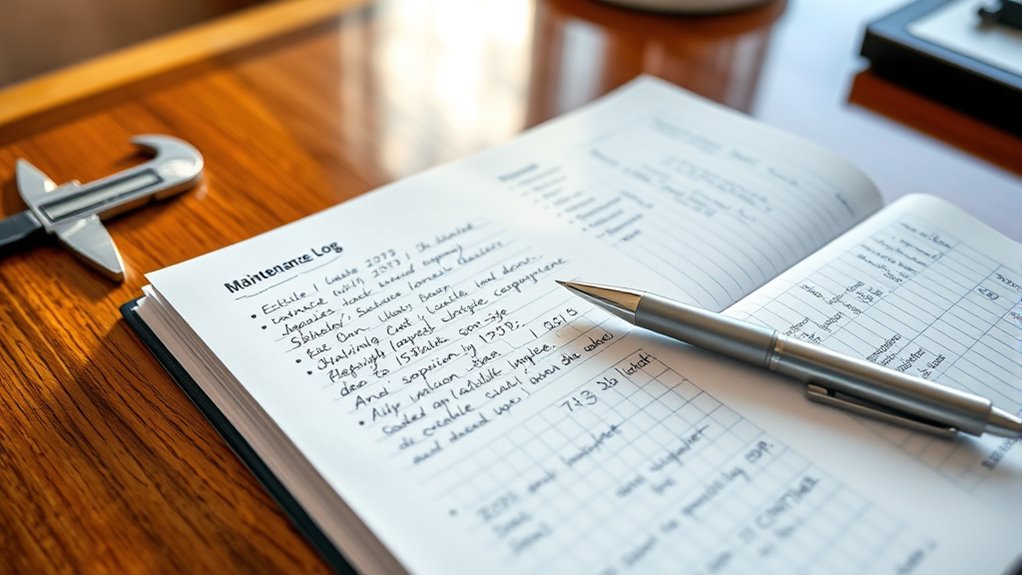
Keeping detailed records of maintenance activities and repairs is essential for maintaining an accurate and useful logbook. When you document each task, you’ll have a clear history of what’s been done, helping you identify recurring issues and plan future maintenance. To do this effectively:
- Record the date and time of each maintenance or repair.
- Note the specific activity performed and parts replaced.
- Include details about the technician or person responsible.
- Mention any observations, issues, or recommendations for future action.
Organizing and Maintaining Your Logbook Over Time

To guarantee your maintenance logbook remains organized and useful over time, you should develop a consistent system for updating and reviewing entries. Set aside regular intervals—weekly or monthly—to check your logbook, ensuring all recent activities are recorded accurately. Use clear headings, dates, and consistent formats to make entries easy to find and understand. Keep your logbook in a designated spot, so it’s always accessible when needed. Periodically review past entries to identify patterns or recurring issues, helping you plan preventive maintenance. As your logbook grows, consider updating or reorganizing sections to keep information current and manageable. By maintaining a routine, you ensure your logbook remains a reliable resource for managing your equipment, preventing breakdowns, and tracking progress over time.
Frequently Asked Questions
How Often Should I Review and Update My Maintenance Logbook?
You should review and update your maintenance logbook regularly to guarantee it stays accurate and useful. Depending on how often you perform maintenance, consider updating it after each task or at least monthly. This helps you track issues, schedule future maintenance, and maintain equipment effectively. Consistent reviews prevent overlooked problems and ensure your logbook reflects the current condition of your assets, making maintenance smoother and more organized.
Can Digital Logbooks Be More Effective Than Paper Ones?
Digital logbooks can be more effective than paper ones because they offer quick access, easy updates, and seamless sharing. You can search for specific entries, add multimedia, and back up data effortlessly. Plus, digital logs reduce clutter and minimize errors. By choosing a digital platform, you streamline your maintenance tracking, stay organized, and guarantee your records are always up-to-date—making your maintenance management more efficient and reliable.
What Security Measures Are Recommended for Sensitive Maintenance Records?
You should implement strong security measures for sensitive maintenance records. Use encryption to protect data both at rest and in transit, and guarantee access is limited to authorized personnel through multi-factor authentication. Regularly update software to patch vulnerabilities, maintain secure backups, and monitor access logs for suspicious activity. Educate your team on security best practices, and consider using secure cloud services that comply with relevant data protection standards.
How Do I Handle Incomplete or Missing Maintenance Entries?
You might think incomplete records are harmless, but they can cause serious issues. Investigate whether missing entries are due to oversight or systemic problems. To handle them, cross-check other logs or records to fill gaps, and update the log with accurate information. Establish a routine review process to prevent future gaps, and train staff on proper documentation. Consistently maintaining accurate, complete records guarantees your maintenance history remains reliable and useful.
Are There Apps or Software That Can Help Automate Logbook Creation?
You’re wondering if apps or software can automate logbook creation. Yes, many tools like Fiix, UpKeep, and maintenance management systems help you track maintenance tasks effortlessly. These apps automatically log entries, schedule future work, and generate reports, saving you time. With a few clicks, you can keep accurate records and stay organized. Explore these options to find one that fits your needs and simplifies your maintenance process.
Conclusion
By creating a maintenance logbook, you’re turning yourself into the ultimate guardian of your equipment—like a superhero wielding a powerful shield that protects against breakdowns and disasters. With your meticulously organized log, you’ll catch issues before they explode into chaos, save hours of headaches, and keep everything running smoother than a race car on a freshly paved track. Embrace this system, and watch your maintenance worries vanish faster than a magician’s rabbit!