If your Milwaukee M18 charger is blinking red, it can be concerning, especially when you’re in the middle of a project. The red blinking light typically indicates a problem that needs addressing to ensure your batteries charge correctly and safely. Understanding the common causes and how to fix them can save you time and prevent potential damage to your batteries or charger.
In this guide, we’ll walk through practical troubleshooting steps, safety tips, and maintenance advice to resolve the blinking red light issue effectively. Whether you’re a seasoned professional or a DIY enthusiast, these clear instructions will help you get back to work quickly and safely.
Key Takeaways
| Common Causes | Battery issues, temperature problems, or charger faults. |
| Basic Troubleshooting | Check battery compatibility, ensure proper connections, and assess environmental conditions. |
| Safety Tips | Always disconnect batteries before troubleshooting and work in a dry, well-ventilated area. |
| When to Replace | Persistent blinking despite troubleshooting indicates a need for a new battery or charger. |
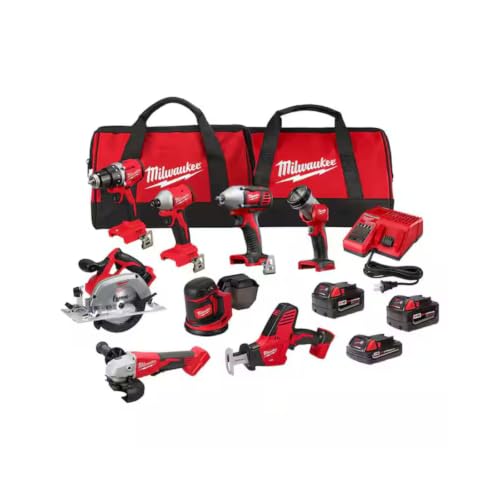
Milwaukee M18 18V Cordless Power Tool Combo Kit, 8-Tool Set, 3 Batteries, 2 Tool Bags, Charger Included
- Complete 8-Tool Set: Hammer drill, impact driver, saw, grinder, reciprocating saw, multi-tool, work light
- Includes 3 Batteries: Two high-capacity and one compact battery
- M18 Lithium-Ion System: Consistent power and extended runtime
As an affiliate, we earn on qualifying purchases.
Understanding the Red Blinking Light
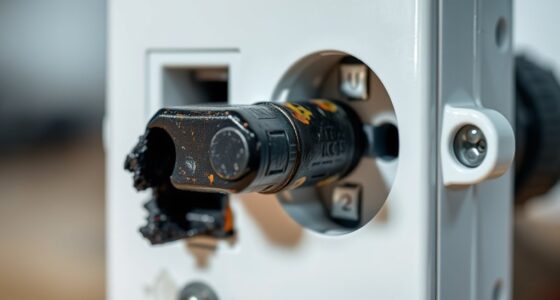
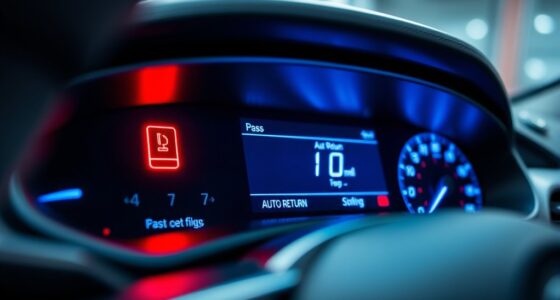
The red blinking light on your Milwaukee charger usually signals an issue that prevents proper charging. It could be a warning for overheating, incompatible batteries, or internal faults. Recognizing what this light indicates is the first step toward effective troubleshooting.
Milwaukee chargers are equipped with LED indicators that provide specific signals for different states. A steady red typically means charging, while blinking red suggests a fault or error condition. Consulting your charger’s manual can help decipher the exact meaning of the blinking pattern.
Step 1: Ensure Compatibility & Proper Connection
- Check that your battery is compatible with your Milwaukee charger. Refer to the product specifications to confirm.
- Remove the battery and inspect the contacts for dirt, dust, or corrosion. Clean gently with a dry cloth or a soft brush if needed.
- Reconnect the battery firmly into the charger, ensuring it clicks into place securely.
- Verify that the charger is plugged into a functioning power outlet. If possible, test with another outlet to rule out power issues.
Step 2: Assess Temperature and Environment
- Ensure that the battery and charger are used in a suitable environment—avoid extreme cold or heat which can trigger the blinking red light.
- Allow the battery and charger to cool down if they have been used heavily or exposed to high temperatures.
- For best results, operate within the recommended temperature range of 0°C to 40°C (32°F to 104°F).
Step 3: Troubleshoot Battery & Charger
If the above steps don’t resolve the issue, try the following:
- Use a different Milwaukee M18 compatible battery to determine if the problem lies with the battery.
- Test the suspected faulty battery on another compatible charger, if available.
- If multiple batteries exhibit the blinking red light, the charger might be at fault and may require servicing or replacement.
Step 4: Reset or Replace Components
Some chargers have a reset function—consult your manual for specific instructions. If resetting doesn’t work:
- Contact Milwaukee customer support for guidance or warranty service.
- Consider replacing the faulty battery or charger if troubleshooting confirms the issue.
- Always use genuine Milwaukee batteries and chargers to prevent compatibility issues and ensure safety.
Tips & Warnings for Safe Troubleshooting
- Always disconnect batteries before inspecting or cleaning the charger.
- Do not attempt to repair internal electronic components yourself; seek professional service.
- Work in a dry, well-ventilated area to prevent moisture damage or electrical hazards.
- Be cautious when handling batteries; avoid punctures or exposure to extreme heat.
- Regularly inspect your charger and batteries for signs of damage or wear to prevent issues before they occur.
The Products in This Guide

Milwaukee M18 18V Cordless Power Tool Combo Kit
- ✔ Battery Type: Lithium-ion
- ✔ Tool Storage: 2 heavy-duty bags
- ✔ Warranty: Standard Milwaukee warranty

Milwaukee Shockwave 100pcs Impact Driver Bit Set Packout
- ✔ Impact Rated: Yes
- ✔ Case Type: Packout
- ✔ Material: Steel
Milwaukee M18 18V Cordless Power Tool Combo Kit
The Milwaukee M18 18V Cordless Power Tool Combo Kit offers a robust selection of tools, batteries, and a fast charger, making it ideal for construction, remodeling, and maintenance tasks. Its compatibility with the M18 system ensures extended performance and versatility.
Pros:
- Includes 8 essential tools for various tasks
- Comes with 3 batteries for extended use
- Rapid charger minimizes downtime
- Two durable tool bags for organization
Cons:
- Initial investment is higher compared to basic kits
- Tools may be heavy for prolonged use
- Requires proper maintenance to prevent charging issues
Best for: Professional contractors and serious DIYers needing a complete cordless toolkit
Not ideal for: Casual users or those with limited space may find the full kit excessive
Bottom line: A comprehensive, versatile power tool kit for demanding tasks
Milwaukee Shockwave 100pcs Impact Driver Bit Set Packout
The Milwaukee Shockwave 100pcs Impact Driver Bit Set Packout provides a wide variety of bits designed for durability and precision, fitting perfectly with your Milwaukee impact driver. This set is ideal for professionals and DIYers looking for reliable accessories.
Pros:
- 100-piece set for versatile applications
- Packout case for easy transport and storage
- Impact-rated bits for durability
- Compatible with Milwaukee impact drivers
Cons:
- Set may contain more bits than needed for casual use
- Impact driver not included
- Higher price point for extensive sets
Best for: Pro contractors and serious DIYers needing comprehensive impact driver bits
Not ideal for: Casual users who only need a few bits occasionally
Bottom line: A comprehensive set built for durability and versatility
Frequently Asked Questions
What does a blinking red light on my Milwaukee charger mean?
It indicates a fault, such as overheating, incompatible battery, or internal error, requiring troubleshooting.
How do I fix a blinking red light on my charger?
Check battery compatibility, clean contacts, ensure proper connection, and assess environmental conditions. If unresolved, replace faulty components.
Can I use any Milwaukee battery with the charger?
Only compatible Milwaukee M18 batteries should be used to prevent damage and ensure proper charging.
What safety precautions should I take?
Always disconnect batteries before inspection, work in a dry area, and avoid exposing components to extreme temperatures.
When should I replace my charger or battery?
If troubleshooting doesn’t resolve blinking red lights or if components show signs of damage, replacement is necessary.
Keep Your Milwaukee Tools Charging Smoothly
Proper maintenance and troubleshooting can extend the life of your Milwaukee batteries and chargers, ensuring your tools perform reliably on every job. Always follow safety guidelines and consult professional support when needed. With the right care, you’ll keep your cordless power system running efficiently and safely for years to come.
Affiliate disclosure: As an Amazon Associate we earn from qualifying purchases. Prices and availability are accurate as of the time of publishing.