
If your DEWALT power tool’s battery isn’t charging properly, it can be frustrating and halt your work. This guide provides clear, safe steps to diagnose and fix common charging issues with your DEWALT tools, especially the DCD777D1 model.

Get business pricing on tools and workshop supplies
- Business-only prices and quantity discounts
- Tax-exempt purchasing
- Multiple users, one account, clear invoices
Before starting, ensure you have your charger, batteries, and a clean, dry workspace ready. Always prioritize safety and follow proper handling procedures when working with power tools and batteries.
Key Takeaways
| Check charger compatibility | Ensure you’re using the correct charger for your DEWALT battery. |
| Inspect the battery | Look for signs of damage, corrosion, or dirt on the battery contacts. |
| Test with a different charger | Try charging with another DEWALT charger to rule out charger issues. |
| Reset the battery | Fully drain and then recharge the battery to reset it. |
| Verify the power outlet | Ensure the outlet is working correctly and providing power. |
Step 1: Confirm the Charger and Outlet
- Plug your DEWALT charger into a known working power outlet.
- Check if the charger’s LED indicator lights up; refer to your model’s manual for specific light patterns.
- If no lights, try a different outlet or test with another device to ensure power supply.
Step 2: Inspect and Clean Battery Contacts
- Remove the battery from the tool and charger.
- Examine the metal contacts on the battery and inside the charger for dirt, corrosion, or debris.
- Gently clean the contacts with a dry cloth or a soft brush. Avoid using liquids that could damage electronics.
Step 3: Try a Different Charger or Battery
If possible, test with another compatible DEWALT charger or a different battery that you know is working. This helps identify whether the issue is with the battery or the charger.
Step 4: Reset and Recharge the Battery
- If your battery has a built-in reset feature, follow the manufacturer’s instructions to reset it.
- Allow the battery to fully drain by using the tool until it stops working.
- Reinsert the battery into the charger and wait for it to start charging.
Step 5: Check for External Factors and Replace if Needed
Ensure your workspace is dry and free of extreme temperatures, as these can affect charging. If the battery still doesn’t charge after these steps, consider replacing it with a new one, especially if it shows physical damage or no response after troubleshooting.
The Products in This Guide

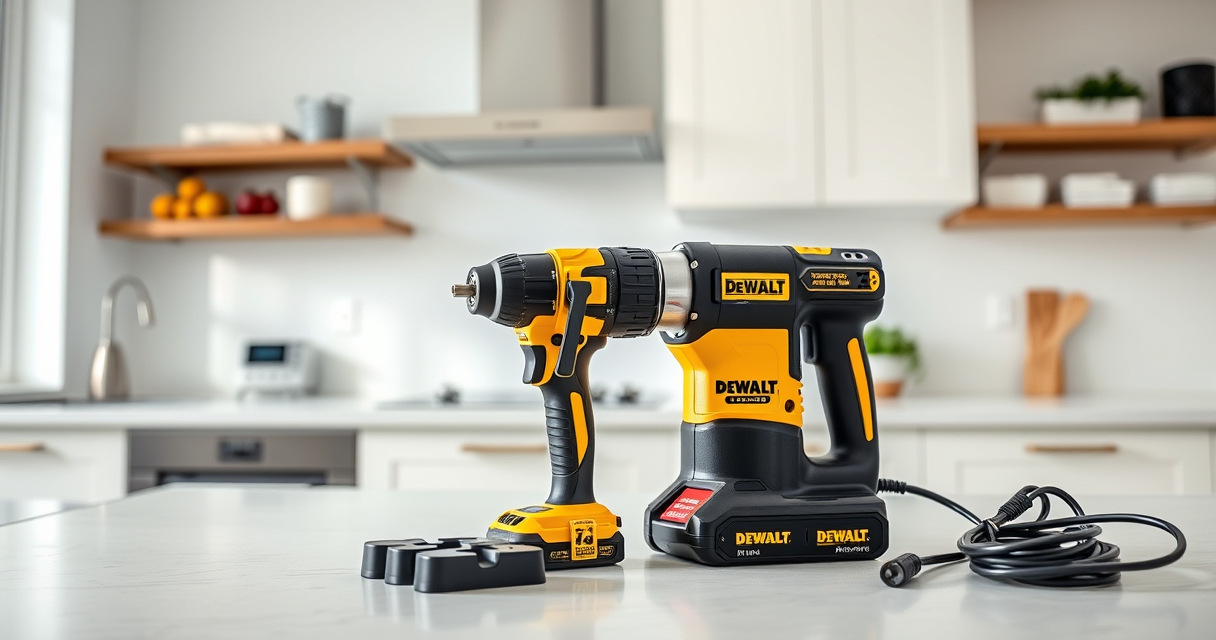
DEWALT 20V MAX Cordless Drill Driver Set
- ✔ Weight: 3.1 lbs
- ✔ Max Torque: 340 UWO
- ✔ Chuck Size: 1/2 inch

DEWALT Drill Bit Set
- ✔ Tip Design: Split point
- ✔ Coating: Rust-resistant
- ✔ Suitable Materials: Plastic, wood, metal
DEWALT 20V MAX Cordless Drill Driver Set
The DEWALT 20V MAX Cordless Drill Driver Set is a versatile and durable choice for various tasks. If your drill’s battery isn’t charging, follow these troubleshooting steps to restore performance and avoid unnecessary replacements.
Pros:
- High-capacity 2.0 Ah batteries
- Fast charging with included charger
- Brushless motor for longer run-time
- Compact design for tight spaces
Cons:
- Battery may fail after extended use
- Requires proper maintenance to prevent issues
- Charger may need replacement over time
Best for: DIY projects, home repairs, professional contractors
Not ideal for: Heavy-duty industrial use or extreme environmental conditions
Bottom line: Regular maintenance and proper charging practices ensure your DEWALT drill remains reliable.
DEWALT Drill Bit Set
Complement your DEWALT drill with this 14-piece drill bit set, designed to handle plastic, wood, and metal with durability and ease. It’s a helpful accessory for most DIY projects and repairs.
Pros:
- High-speed steel construction
- Split point design reduces walking
- Corrosion-resistant coating
- Easy size identification
Cons:
- May wear faster under heavy use
- Not suitable for industrial-grade tasks
- Limited to standard sizes
Best for: General-purpose drilling, DIY projects
Not ideal for: Heavy industrial metalworking
Bottom line: A versatile set that enhances your drilling capabilities for everyday tasks.
Frequently Asked Questions
Why won’t my DEWALT battery charge?
Common causes include faulty charger, dirty contacts, battery damage, or power supply issues. Follow troubleshooting steps to identify the cause.
How do I reset my DEWALT battery?
Some DEWALT batteries have built-in reset functions. Fully drain the battery, then recharge it. Consult your model’s manual for specific reset instructions.
Can I use a different charger for my DEWALT battery?
Only use chargers specifically designed for your DEWALT battery model to prevent damage and ensure safe charging.
When should I replace my DEWALT battery?
Replace the battery if it shows signs of physical damage, no longer holds a charge after troubleshooting, or if the charger indicates a fault.
Keep Your DEWALT Power Tools Charging Like New
By following these troubleshooting steps, you can resolve most charging issues with your DEWALT power tools. Regular maintenance, correct charger use, and proper storage extend battery life and ensure your tools are always ready for work. When in doubt, replacing an aging battery may be the best way to regain reliable performance.
Affiliate disclosure: As an Amazon Associate we earn from qualifying purchases. Prices and availability are accurate as of the time of publishing.
Halloween Picks
halloween
As an affiliate, we earn on qualifying purchases.